
USBs and betrayal: The small devices behind big data leaks
18 June 2025 · 8 min read · Mr Strategy
USBs and betrayal: The small devices behind big data leaks
They fit in your pocket. But they can sink an empire.
In April 2025, a mid-tier institution in Kampala found itself in crisis. Over 13,000 client records including national IDs, claim details, and medical histories, were leaked to the dark web. At first, the firm suspected a cyber breach. Sophisticated hackers. Maybe a compromised firewall.
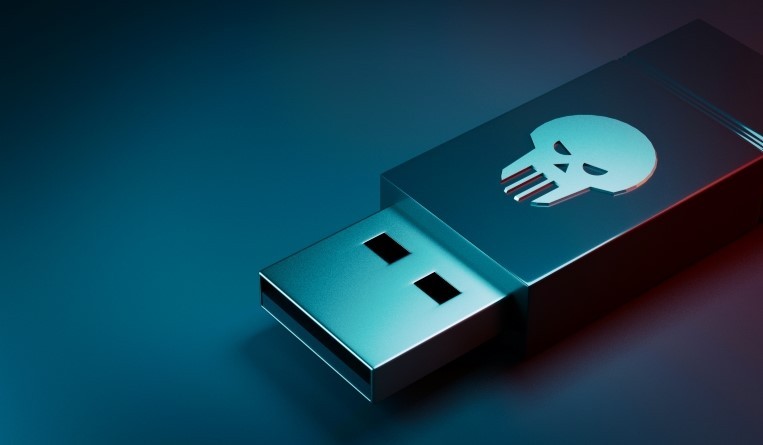
But the truth was more primitive. More personal. It came in the form of a 16GB SanDisk USB drive.
And the betrayer? Not a foreign agent. Not a hoodie-wearing hacker in Moscow. Just “Susan,” a long-trusted compliance officer, who’d been working there for six years.
This is how betrayal hides in plain sight, and how tiny USB sticks are still causing the biggest data disasters in Uganda.
The USB, a perfect weapon for insiders
USB drives are cheap, silent, and easy to hide. Unlike cloud storage, they do not trigger alerts. No login required. No audit trail. Just plug, drag, eject, and vanish.
In the Summit Consulting Ltd forensic lab, we call them “digital boda bodas.” They ferry sensitive information out of organizations quietly, invisibly, and often under the noses of IT departments. What a VPN and hacking toolkit take hours to execute, a USB does in seconds, with no logs to trace.
The insurance leak that exposed thousands
Here is how it happened.
(i) Motive: Susan was under financial pressure. Her brother had defaulted on a loan. A local loan shark offered her UGX 2 million in exchange for “high net worth client data.”
(ii) Opportunity: Susan had access to claim reports for compliance checks. She would download monthly backups to her machine. Nobody questioned her, it was part of her job.
(iii) Execution: On April 7th, she plugged in a generic USB stick during lunch hour, copied 14 Excel files, renamed them “School Photos,” and tucked the device into her bag.
(iv) Cover-up: She deleted the recent file history and cleared the USB logs using freeware she downloaded on her personal laptop.
Two weeks later, an anonymous Telegram account began leaking the data. It was sold to fraudulent claim processors and ID forgery syndicates. We were brought in after fake claims started flooding the company.
It took just 22 minutes to copy the data. But it cost the company UGX 920 million in regulatory fines, fraud losses, and brand damage.
Why USBs remain the ultimate betrayal device
You might think USBs are obsolete. After all, we are in the cloud age, right?
Wrong. They are still the go-to tool for:
(i) Whistleblowers: Genuine or malicious, trying to extract files without alerting the system.
(ii) Disgruntled employees: Especially those exiting or under investigation. HR rarely checks devices during exit interviews.
(iii) Contractors and IT staff: With temporary access and low oversight, they often plug in tools for “maintenance” that double as data siphons.
In one case in Jinja, an IT intern cloned the entire HR folder of a sugar processing firm by installing a USB syncing tool that auto-copied files every time he plugged in.
The blind spot in most organizations
Most companies in Uganda focus on firewalls and anti-virus tools. But the real risk is port-based. Your data doesn’t always leak via the internet it walks out through USBs, one stolen file at a time.
In audits done by IFIS/ SCL across 12 organizations in 2024, we found:
(i) 80% had no endpoint control over USB access.
(ii) 67% allowed personal USBs on work machines, no approval, no encryption.
(iii) Only 2 had automatic USB activity logging.
How investigators cracked the insurance case
It was not Susan’s name that gave her away. It was the metadata on the Excel files (yes, metadata again) that pointed to her user account. But what sealed the case was USB registry artifacts, hidden in Windows Event Viewer logs.
With forensic software, Summit Consulting reconstructed her file transfer timeline:
- USB inserted at 12:38 p.m.
- File transfers between 12:39 and 12:58 p.m.
- Ejection at 12:59 p.m.
- Lock down all USB ports. Use endpoint protection tools like Symantec DLP or Device Control to whitelist approved devices only.
- Enforce encryption. Every allowed USB must be encrypted, and all data copied should require clearance and tracking.
- Run surprise audits. Periodically scan workstations for USB activity logs and compare against approved device lists.



Comments
No comments yet. Be the first to share your thoughts.