
Cyber Hygiene for Non-Tech Staff
Be helpful and hard to rush.
Cybersecurity Awareness Week 2026 | 3 October 2026
It is 4:47 p.m., and Sarah, an insurance administrator in Kampala, is getting ready to leave work. Then a WhatsApp message arrives from someone using her director’s photograph.
“Send UGX 1.8 million to this number. Urgent client matter. I will approve it later.”
The photograph looks familiar, and the request sounds important. Sarah wants to help.
Instead, she pauses and calls the director using the number already saved in her contacts.
He knows nothing about the payment.
Sarah did not stop the fraud with sophisticated software. She simply refused to let urgency replace verification.
Think of a security guard at a bank. The guard does not need to know how the vault was built. But a person who says, “The manager sent me,” should not be given unrestricted access.
Your phone deserves the same discipline.
That is what cyber hygiene means: simple, everyday habits that protect your money, your work and the people whose information you handle.
This is not just about your own money
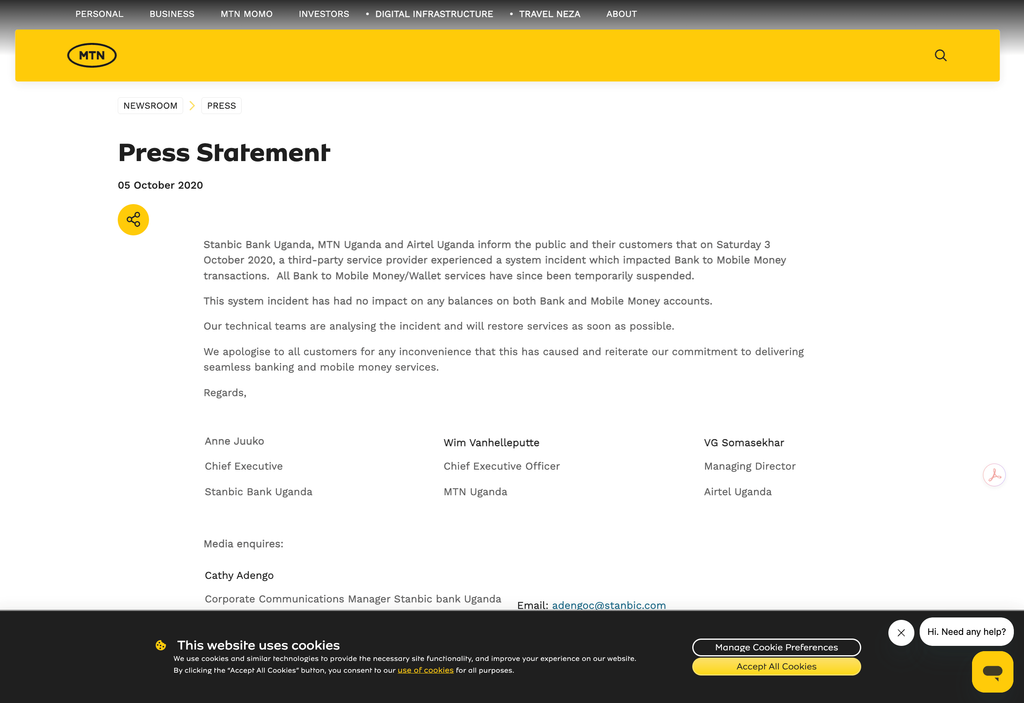
In October 2020, Stanbic Bank Uganda, MTN Uganda and Airtel Uganda reported a third-party incident that affected bank-to-mobile-money transactions. The affected services were temporarily suspended. In a joint statement, the companies said that bank and mobile-money balances were not affected. The lesson is simple: a problem outside your organisation can still disrupt your customers’ day.
In July 2025, Allianz Life in the United States experienced a breach involving personal information stored in a cloud-based system. Its customer notice said there was no evidence that the company’s own network or other systems had been accessed. In other words, customer information can be exposed even when the whole organisation has not been taken over.
Whether you are a receptionist, cashier, claims officer or salesperson, five habits can make a real difference.
Verify the request, not the confidence of the person making it
Any message asking you to change a supplier’s bank account, release customer information or bypass a payment approval should be checked independently.
Call a number from your existing records, not one provided in the suspicious message. Follow the normal approval process, even when the request appears to come from your boss.
Artificial intelligence can now imitate a familiar voice. Someone sounding like your manager is no longer enough to prove that the request is genuine. A familiar voice is not a payment authorisation.
Treat a mobile-money screenshot as a claim, not proof
Someone may send you a screenshot claiming they have paid. Another person may call to say money was sent to your wallet by mistake and demand an immediate refund.
Do not treat what appears on their screen as your proof.
Open your provider’s official app or use the mobile-money menu you normally trust. Check your own transaction history and balance. If a reversal is disputed, ask the provider to handle it instead of sending a fresh payment to a number chosen by a stranger. Safaricom specifically warns customers about fake or old M-PESA messages and fraudulent reversal instructions.
Never share your mobile-money personal identification number (PIN) or a one-time login code with a caller. Reject any transaction approval you did not initiate. MTN’s guidance warns that fraudsters may pretend to help resolve a problem while asking for exactly this information.
Lock the phone. Strengthen the account. Install the update.
Use a strong passcode to lock your screen. Give each account a different, strong password and, where approved, use a password manager to keep track of them. Turn on extra sign-in protection. If your device supports it and your organisation allows it, use a passkey—a sign-in method unlocked with your device PIN, fingerprint or face. Passkeys offer stronger protection against fake sign-in websites.
And do not keep postponing software updates.
On Android, search Settings for “Screen lock” and “Software update”; the exact menu names vary by manufacturer. On iPhone, open Settings → General → Software Update. For work devices, always follow your organisation’s instructions.
These are not glamorous actions. Neither is locking an office door.
Read what “Allow” will allow
Here is one risk that is easy to overlook:
The next cyber trap may not ask for your password. It may ask for your permission.
Imagine that a new “claims assistant” asks for permission to read customer files and send emails from your account. Before you tap Allow, stop and ask: “Is this tool approved, and does it really need this level of access?”
Microsoft has documented attacks in which people are tricked into giving malicious applications access through genuine-looking permission screens. A familiar logo does not make every request for access safe.
The same caution applies to artificial intelligence (AI) tools. Do not paste a customer’s medical report, bank statement or claim file into an unapproved service simply because it promises to summarise the document. Use only approved tools and follow your organisation’s rules for handling data.
Report the mistake before explaining it away
Clicked something suspicious? Stop interacting with it and tell your information technology (IT) or security contact what happened.
Be clear about what happened: “I opened the link,” “I entered my password,” or “I approved the request.” These are different events and may require different responses. Simply clicking a link does not always mean your account has been compromised. If money or banking details are involved, contact your bank or mobile-money provider immediately through an official channel.
Keep the original message and any transaction reference so the response team can investigate. Do not assume that changing your password fixes everything; suspicious app permissions may also need to be removed.
Managers also have a role to play. Give staff permission to pause, make reporting channels clear and do not humiliate people who report mistakes honestly. You cannot demand shortcuts and then punish employees for taking them.
Be helpful. Be hard to rush. The safest employee is not the one who never asks questions. It is the one who pauses and checks before opening the gate.
I remain, Mr Strategy

You may also like
Day 9: Phishing Simulation and Awareness
Day 8: Security Operations Centre (SOC) 101